




No products found.
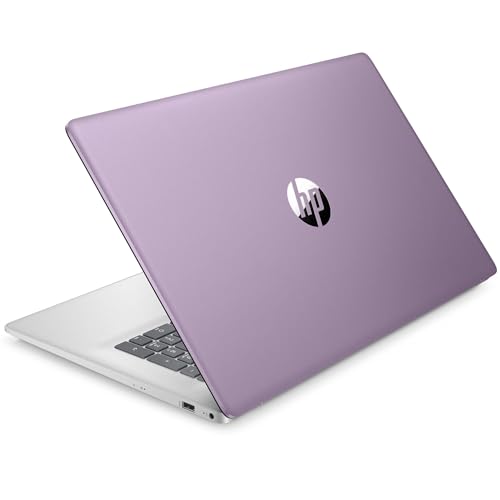
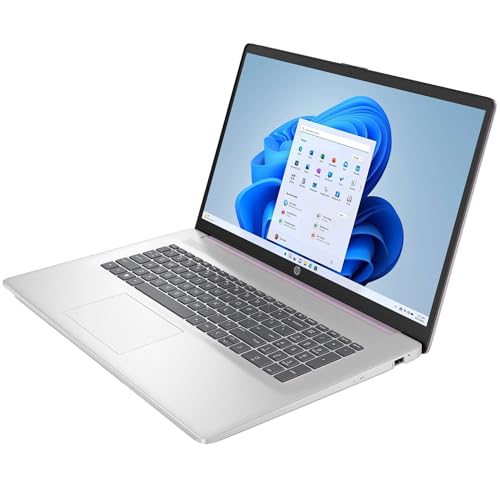
The HP 17 17.3″ Touchscreen Laptop is designed to meet the needs of students and business professionals alike. Stylishly adorned in lavender, this laptop doesn’t just excel in looks; it’s a powerhouse of functionality. With the combination of a robust Intel Quad-Core processor, ample memory, and advanced storage options, this device is ready to tackle daily tasks with ease.
In an age where technology drives productivity, having a reliable laptop is crucial. Whether you’re a student managing coursework, or a business professional navigating complex projects, the right device can make all the difference. That’s where the HP 17 steps in. This laptop merges power with portability, ensuring you’re equipped for any challenge, wherever you are.
Processor and Performance
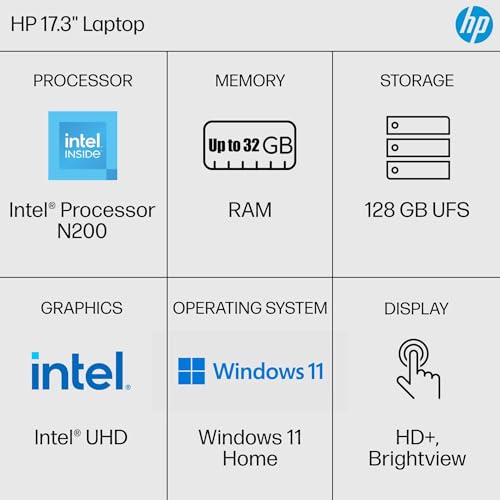
The laptop is powered by an Intel Pentium Processor N200 with speeds up to 3.7 GHz, supported by 6 MB L3 cache, and offering 4 cores and 4 threads. This ensures smooth multitasking and efficient performance, whether you’re handling spreadsheets or streaming content.
Display and Graphics
The 17.3″ diagonal touchscreen with HD+ (1600 x 900) resolution and BrightView technology ensures crisp visuals with vibrant colors. Coupled with Intel UHD Graphics, it provides an immersive viewing experience for all your multimedia needs.
Memory and Storage
With 8GB DDR4 SDRAM, this laptop offers ample memory for everyday tasks. The 256GB PCIe SSD provides rapid data access speeds, while the additional 128GB Universal Flash Storage offers extra space for files and applications.
Connectivity
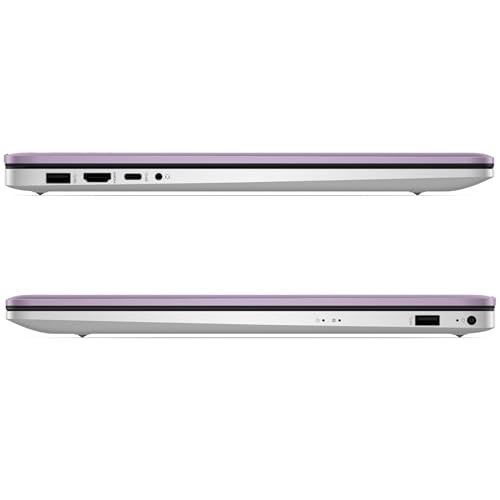
Stay connected with Wi-Fi 5 (IEEE 802.11ac) and Bluetooth 5.0. The laptop also features a range of ports including 1 USB Type-C, 2 USB Type-A, 1 HDMI 1.4b, and a headphone/microphone combo jack.
Operating System and Software
Running on Windows 11 Home in S mode, the laptop ensures a secure and streamlined user experience. The inclusion of a 1-Year Office 365 Personal subscription adds value, offering access to essential Microsoft applications and 1TB of OneDrive cloud storage.
The HP 17 is versatile enough to cater to a variety of users. For students, it’s an ideal companion, offering enough power to handle assignments, projects, and online learning tools. The touchscreen adds a layer of interactivity which can be particularly beneficial for educational applications and digital note-taking.
Business professionals will appreciate the laptop’s ability to manage multitasking with ease. Its comprehensive connectivity options ensure that you’re not left wanting for ports when you need them for presentations or external devices. The additional Office 365 Suite caters to productivity needs right out of the box.
Even for casual users who enjoy streaming media or casual gaming, the HP 17 provides more than adequate performance. The large display and solid graphics ensure an enjoyable experience for video content and light gaming.
When comparing the HP 17 to other laptops in the same category, like the Dell Inspiron 17 or the Lenovo IdeaPad 3, the HP 17 holds its own with standout features like a larger SSD and bundled Office 365 subscription. Although the Dell Inspiron offers a similar screen size, it often comes at a higher price point without the inclusion of useful software packages.
The Lenovo IdeaPad may offer slightly longer battery life, but it lacks the touchscreen functionality that sets the HP 17 apart, especially for users who value interactive displays. Moreover, HP’s design in a unique lavender color adds a touch of personality that isn’t commonly found in the basic hues of its competitors.
- Pros:
- Large touchscreen display for easy navigation and enhanced multimedia experience.
- Comprehensive connectivity options, including modern USB-C and HDMI ports.
- Bundled with 1-Year Office 365 Personal subscription and 1TB OneDrive storage.
- Stylish lavender design that stands out in a sea of monochrome laptops.
- Cons:
- Display is HD+ rather than Full HD, which might not meet the needs of users looking for the highest resolution.
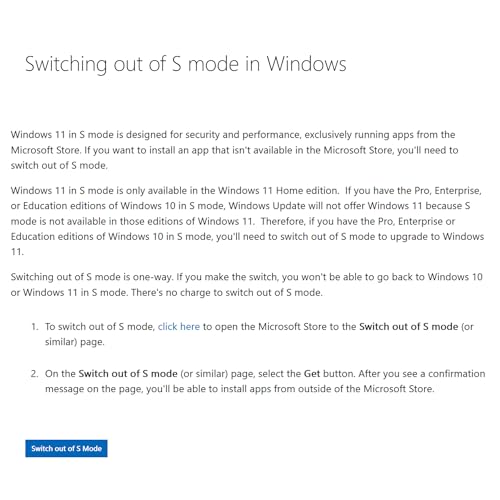
- Running Windows 11 in S mode can limit app downloads to those available in the Microsoft Store.
- Not suited for high-end gaming or resource-intensive tasks.
Choosing the right laptop is a significant decision, and the HP 17 17.3″ Touchscreen Laptop emerges as an excellent choice for both students and professionals. Its blend of performance, design, and additional software benefits make it a compelling option for those seeking reliability and functionality.
The aesthetic appeal of the lavender finish combined with the practical benefits of a large touchscreen display makes it a standout choice in its category. The generous inclusion of Office 365 and cloud storage further enhances its value proposition, ensuring that users have access to essential productivity tools from the get-go.
While it may not cater to those in need of cutting-edge graphics or processing power for intensive applications, it more than suffices for everyday tasks, education, and light business activities. The potential limitation of Windows 11 in S mode can be easily mitigated by switching out of S mode to enjoy more flexibility if needed.
Overall, the HP 17 is a solid investment for anyone who values a balance between performance, design, and practicality in a laptop. Its unique features and competitive price point make it a worthwhile consideration in the market for personal computers.
Updated on 2026-04-04 at 11:20 via Amazon Associates
Discover more from MarkTalks on Technology, Data, Finance, Management
Subscribe to get the latest posts sent to your email.

